

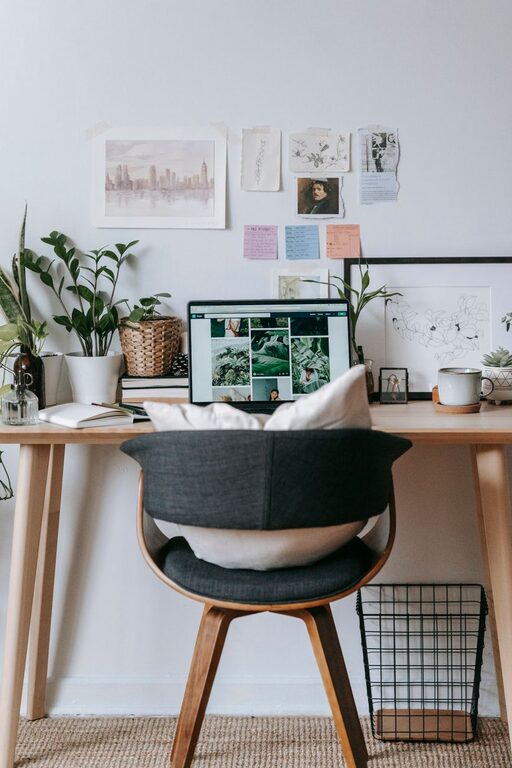
Creating a home office space that is both cozy and functional can significantly improve your work-from-home experience. Whether you dedicate a full room or a small corner for your workspace, making thoughtful choices can boost your productivity and comfort. Here are some practical tips to help you design a home office that meets your needs and feels inviting.
Choose the Right Location
Finding the ideal spot for your home office is the first step. Consider a quiet area with natural light to minimize distractions and reduce eye strain.
– Natural light: Position your desk near a window if possible. Natural light can elevate your mood and help you stay alert.
– Quiet zone: Choose a low-traffic area in your home to avoid interruptions.
– Space: Even a small nook can work if thoughtfully arranged.
Invest in an Ergonomic Chair and Desk
Comfort is key when working for long hours, so select furniture that supports good posture.
– Ergonomic chair: Look for adjustable chairs with lumbar support to prevent back pain.
– Desk size: Ensure your desk is spacious enough for your computer, paperwork, and other essentials.
– Standing desks: If you prefer, adjustable standing desks offer flexibility to alternate between sitting and standing.
Prioritize Clutter-Free Organization
A cluttered workspace can hamper focus. Use storage solutions to keep your office tidy and essentials within reach.
– Shelves and cabinets: Utilize vertical space with shelves or closed cabinets to store books, files, and supplies.
– Desk organizers: Pencil holders, trays, and filing systems help keep your desktop neat.
– Cable management: Use clips, sleeves, or under-desk trays to organize cables and avoid tangling.
Incorporate Personal Touches and Comfort
Adding elements that reflect your personality can make your workspace more welcoming.
– Plants: Indoor plants not only improve air quality but also create a calming atmosphere.
– Artwork or photos: Personal pictures or art can brighten your space and keep you motivated.
– Soft textiles: A cozy rug or comfortable cushions add warmth and softness.
Ensure Proper Lighting
Good lighting reduces eye strain and helps maintain productivity throughout the day.
– Ambient lighting: Use ceiling lights or lamps to provide general illumination.
– Task lighting: A desk lamp with adjustable brightness focuses light on your work area.
– Avoid glare: Position screens and lights to reduce reflections.
Use Technology Wisely
Equip your home office with essential technology to streamline your workflow.
– Reliable internet: A strong Wi-Fi connection is crucial for video calls and cloud-based work.
– Quality peripherals: Invest in a good keyboard, mouse, and headset for comfort and efficiency.
– Charging stations: Keep your devices powered with organized charging areas.
Create Zones for Different Activities
If space allows, design areas for diverse tasks such as focused work, meetings, or breaks.
– Separate work and relaxation: Including a small lounge chair or corner helps you recharge.
– Meeting space: A small table or additional seating can be useful for virtual meetings or brainstorming.
Maintain a Healthy Work-Life Balance
Design your office to encourage routines that support mental well-being.
– Set boundaries: Use room dividers or curtains to separate work from home life visually.
– Schedule breaks: Regularly step away from your desk to stretch, move, or rest your eyes.
– Organize daily: Tidying up at the end of each day signals closure and prepares you for tomorrow.
Final Thoughts
A cozy and functional home office blends comfort with efficiency, tailored to your personal preferences and work needs. By carefully selecting your location, furniture, lighting, and organization methods, you can create a space that helps you stay focused and relaxed. Remember, the best home office is one that inspires you to do your best work every day.