

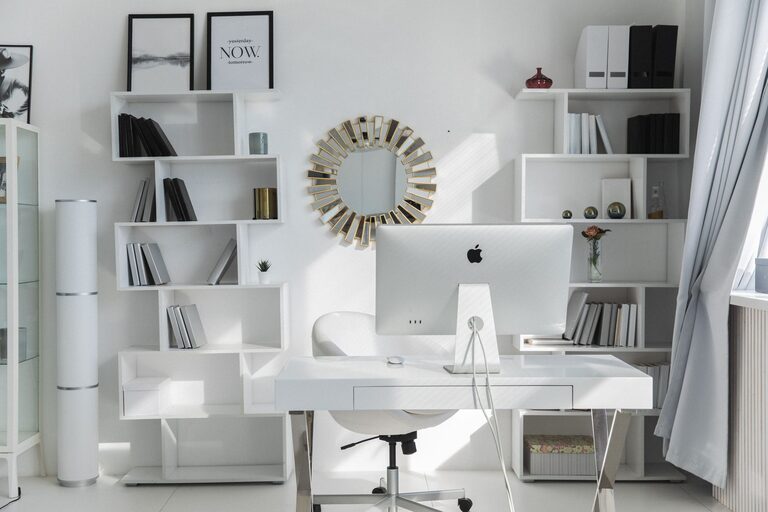
Creating an organized and productive home office space is essential for anyone working remotely or managing tasks from home. A well-arranged workspace can improve focus, reduce stress, and help maintain a healthy work-life balance. Whether you have a dedicated room or just a corner of a room, these tips will guide you in creating an efficient office environment that supports your daily tasks.
Assess Your Space and Needs
Before you begin organizing, consider the following:
– Available Space: Identify where your office will be. Is it a whole room, a nook, or part of the living room?
– Work Requirements: What equipment and supplies do you need daily? Think about your computer, printer, notebooks, reference materials, and any tools specific to your work.
– Lighting: Natural light boosts mood and productivity. Aim to position your desk near a window if possible, but have good artificial lighting for late hours.
Understanding these factors will help you tailor the space effectively.
Choose the Right Furniture
A comfortable, functional setup can transform your work experience.
– Ergonomic Chair: Invest in a chair that supports your back and allows for comfortable, long periods of sitting.
– Desk Size: Choose a desk with enough surface area for your computer, writing area, and other essentials without overcrowding.
– Storage Units: Shelves, filing cabinets, or drawer organizers keep supplies handy but out of the way.
Consider adjustable desks if you prefer to alternate between sitting and standing.
Declutter and Organize Efficiently
Clutter can be distracting. Here’s how to keep your workspace tidy:
Sort and Prioritize Items
– Keep only the essentials on your desk.
– Store less-frequently used items in drawers or shelves.
– Use containers or baskets to group similar items together.
Create Zones
Designate specific areas for different tasks:
– Work Zone: Your main desk area with computer and daily tools.
– Reference Zone: Shelves or racks for books, manuals, and documents.
– Supply Zone: Cabinets or boxes for office supplies like pens, paper, and cables.
Use Cable Management Solutions
Loose cords can create visual disorder and pose safety hazards. Consider:
– Cable clips or holders
– Under-desk trays
– Velcro straps to bundle cables neatly
Optimize Lighting and Ambience
Proper lighting reduces eye strain and improves mood:
– Position your desk to utilize natural light without glare on screens.
– Use adjustable desk lamps with soft, warm light.
– Consider adding plants or artwork to create a pleasant atmosphere.
Implement Productive Habits with Your Setup
Your environment supports your habits. Follow these suggestions:
– Keep a To-Do List: Maintain a visible list of tasks to stay focused.
– Set Boundaries: Use the office space strictly for work to separate professional and personal life.
– Schedule Regular Breaks: Stand, stretch, or take short walks to maintain energy.
Utilize Technology for Organization
Digital tools can complement your physical setup.
– Cloud Storage: Keep files accessible and reduce paper clutter.
– Task Management Apps: Track deadlines and progress.
– Noise-Cancelling Headphones: Block distractions if your home is noisy.
Personalize Your Workspace Mindfully
Add items that inspire you but avoid overcrowding:
– Family photos, motivating quotes, or souvenirs
– A small plant to improve air quality
– A comfortable mouse pad or keyboard wrist rest
Personal touches create a welcoming environment without sacrificing professionalism.
Regular Maintenance
Set a weekly routine to tidy and reorganize:
– Clear your desk at the end of each day.
– File papers and discard trash.
– Dust surfaces and clean screens.
Consistent upkeep prevents clutter from building up again.
—
Creating a home office tailored to your work style and needs helps you stay productive and comfortable. By organizing your space thoughtfully and maintaining it regularly, you transform your home office into a place where focus and creativity flourish.